
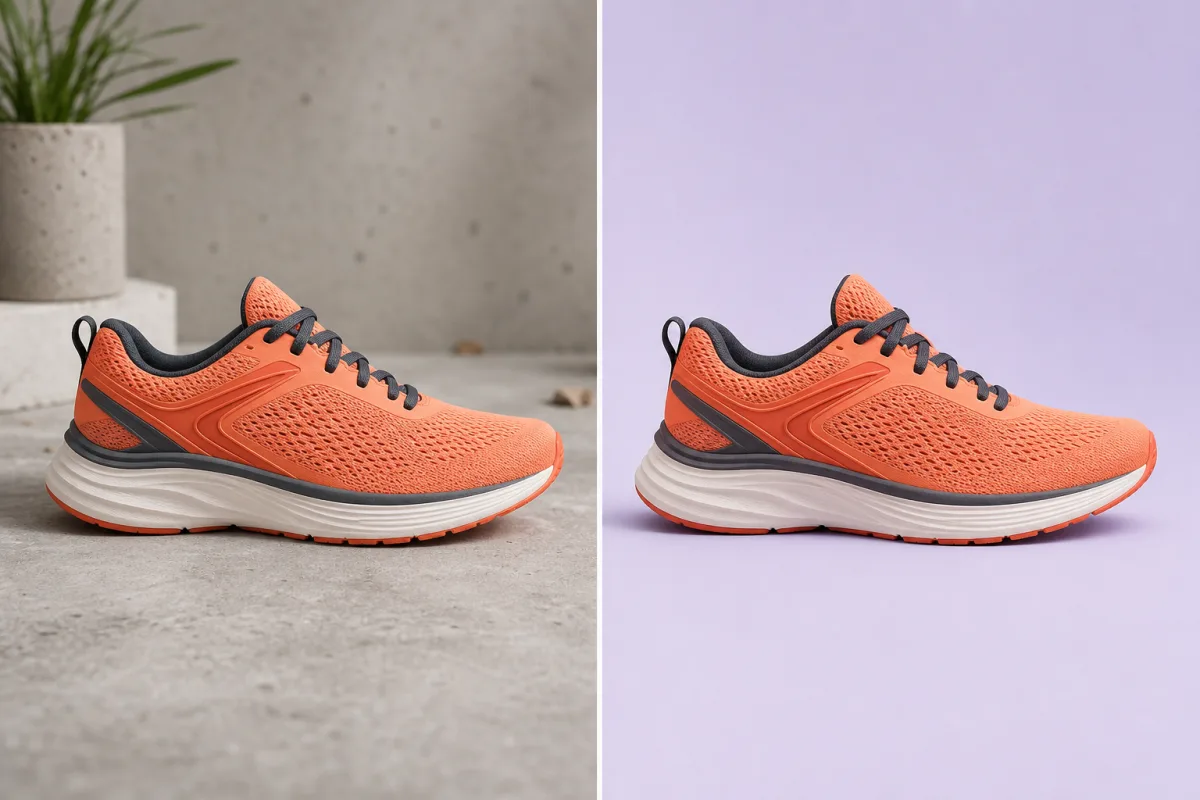
 BeforeAfter
Ecommerce
Turn casual product shots into clean listings
Remove distracting surfaces and props while keeping every product detail sharp.
Catalog-ready in seconds
Amazon and ecommerce product photos
PicDo AI is a product photo editor for Amazon and ecommerce. Upload once to check image requirements, fix the white background, resize, and continue toward a complete listing pack.
Free image check · 3 free AI tasks daily · No design skills needed
Check → Fix → Resize → Download
Made with PicDo AI
See how one background cleanup changes the way a photo works across shops, profiles, and listings.
BeforeAfterEcommerce
Remove distracting surfaces and props while keeping every product detail sharp.
Catalog-ready in seconds
 BeforeAfter
Creators
Keep natural edges around hair and clothing, then place the portrait wherever you need it.
Clean edges, natural details
 BeforeAfter
Marketplace
Isolate furniture and home goods from busy rooms for a clearer, more focused listing.
Less clutter, more focus
Amazon listing workflow
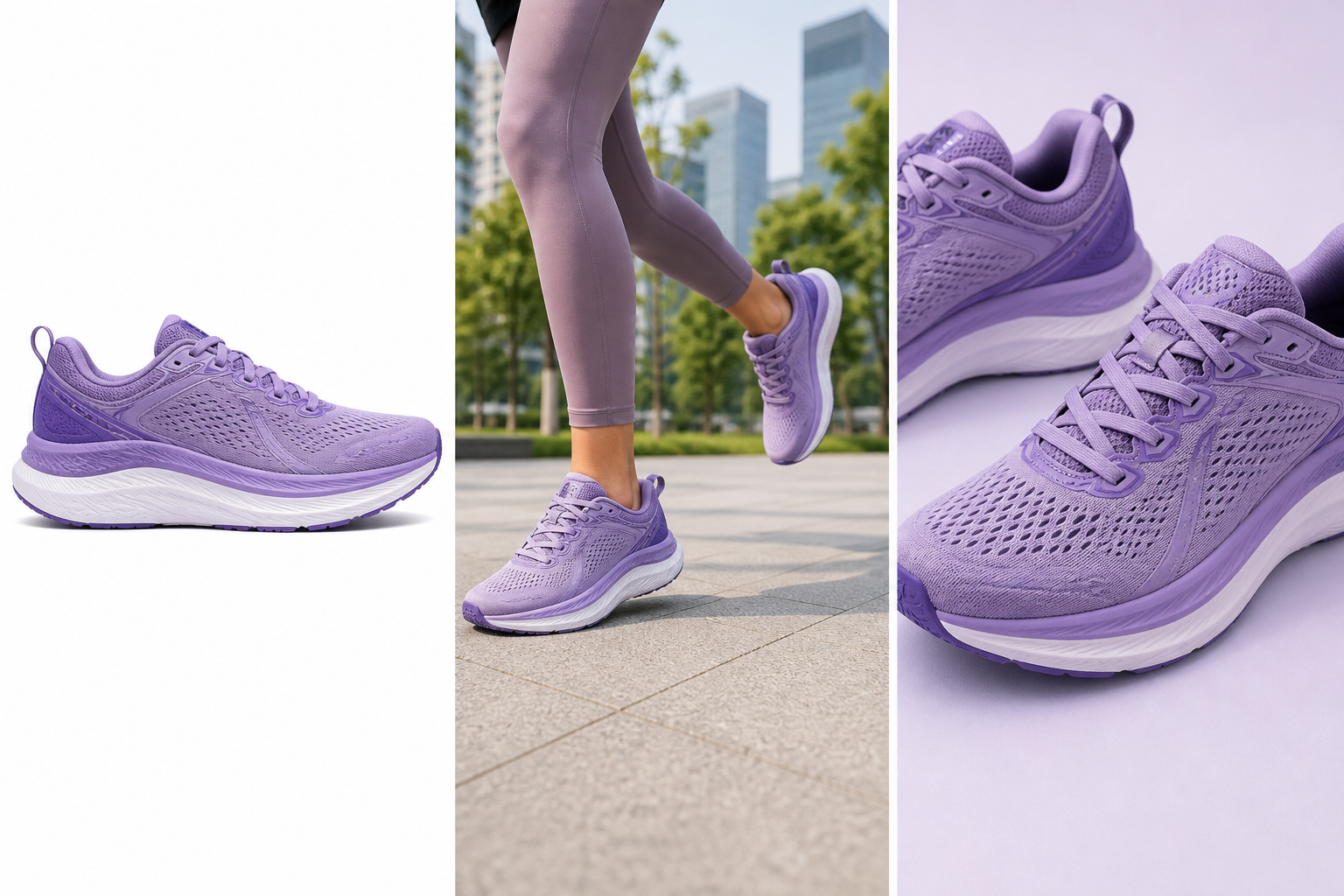
Check the source locally, then turn the same product into a main, lifestyle, or feature image when you are ready to generate.
01
Pure-white product cutout for the listing hero.
02
Show the product in a credible, useful context.
03
Bring material and construction details forward.
The checker runs locally; generation starts only after you choose a workflow.
Check an Amazon imageOne focused workspace for the AI edits you use most.
A simpler path from an image to a useful result.
| Feature | PicDo AI | Traditional editors |
|---|---|---|
| Learning curve | Easy to start—no editing experience needed. | Complex interfaces take time to learn. |
| Speed | AI-assisted results in seconds. | Manual workflows require more steps. |
| Price | Free to try with focused tools. | Often requires a paid subscription. |
| AI capabilities | Built for background removal, upscaling, and generation. | AI may be limited or added onto manual tools. |
PicDo AI is an online AI product photo editor for Amazon and ecommerce listings. It combines background removal, practical image checks, enhancement, and focused listing-image workflows.
No. You can try PicDo AI directly in your browser without creating an account.
PicDo AI focuses on guided product-photo tasks instead of a general-purpose manual canvas, so sellers can prepare listing assets without learning layers, masks, or a professional editing workflow.
Yes. Upload a supported product image on this page and PicDo AI will prepare a transparent PNG cutout you can reuse in listing and marketing layouts.
The current editor accepts JPG, PNG, and WebP images up to 10 MB.
PicDo AI is free to try with up to three shared AI tasks per day. Optional paid monthly plans add 150, 600, or 5,000 credits for higher usage.
Yes. PicDo AI's live AI Image Enhancer creates a 2× WebP while preserving the original aspect ratio. Current inputs can be up to 2,048 px per side and 4 MP.
PicDo AI puts a working product-photo editor directly on the homepage, then connects the result to focused Amazon, enhancement, and image-generation workflows instead of making you start from a blank canvas.